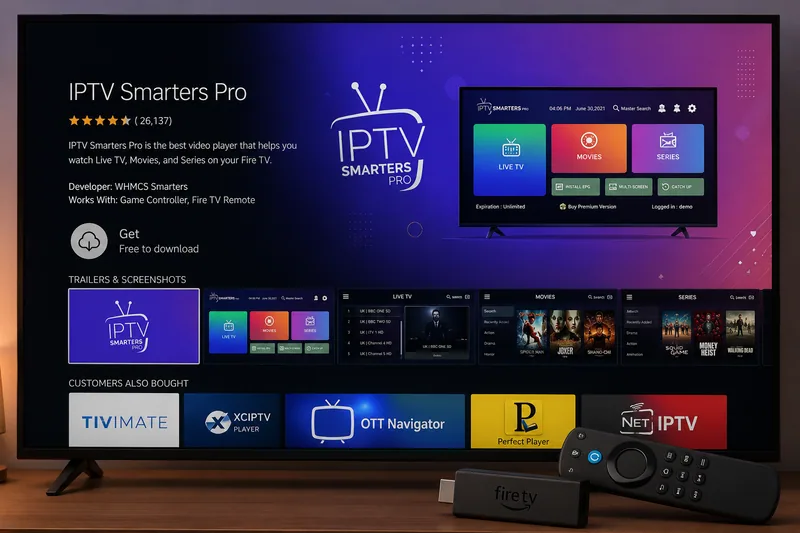
IPTV Smarters is a player, not a television subscription. Install it only from the Amazon Appstore when available or a source verified from the official developer website, then add authorised account details in the format your service documents.
- Best for
- Straightforward multi-section player layout
- Account types
- Depend on the app version and service
- Does it include TV?
- No
- Reviewed
- 28 September 2026
Before you install
Confirm the exact product name and developer. Similar names, copied icons and “premium unlocked” APKs are common enough that a search result alone is not proof. The official Smarters site explicitly describes the software as a player and warns users about fake websites. It does not provide subscriptions or channels.
- Update Fire OS and restart the Firestick.
- Confirm that you have the full authorised login or playlist details.
- Search the Amazon Appstore first.
- Avoid modified packages promising free premium content.
- Keep the original account message somewhere private.
Install and add an account
- Open Find → Search on Fire TV and search for the exact app name.
- Check the developer and app details before selecting Get.
- Open the player and read its privacy and permission prompts.
- Choose the login method that matches what your authorised service supplied.
- Enter the server address, username and password exactly, or paste the full M3U URL.
- Give the first sync time to finish before opening categories repeatedly.
- Test one live stream, one on-demand item and the programme guide.
If the app is not in the store for your device or region, begin at the verified developer website. Never treat a short numeric Downloader code as proof of origin.
Choose the correct login method
| What you received | Likely method | Common mistake |
|---|---|---|
| Server URL, username, password | Provider/API login where supported | Leaving off part of the URL |
| One long URL ending in parameters | M3U playlist | Pasting the EPG URL as the playlist |
| Email and password for a branded portal | Service’s own app or activation flow | Assuming it works in every player |
Do not post these details in public support forums. A playlist URL can contain credentials that provide account access.
Configure for the television, not the phone
Build a short favourites list, hide irrelevant groups and choose readable guide density. Leave hardware decoding and buffer settings at their defaults during the first test. Enable parental controls where needed and note the PIN somewhere secure.
Troubleshooting by symptom
| Symptom | Check first |
|---|---|
| Authorisation failed | Subscription status, URL spelling and accidental spaces |
| Empty categories | Account permissions and completed playlist refresh |
| No programme guide | Whether the service supplies EPG data and correct time zone |
| App closes | Restart, free storage, Fire OS update and app cache |
| One stream fails | Another stream in the same category before resetting the app |
Amazon recommends restarting, clearing an affected app’s cache or data, reinstalling it and updating the device for persistent app problems. Clear data only when you can re-enter the account.
Privacy and account hygiene
Use a unique service password where possible. Do not grant a media player contacts, SMS or accessibility access without a clear documented reason. Remove accounts from a device before selling it, and clear app data after confirming you have retained anything needed for legitimate account recovery.
Frequently asked questions
Does IPTV Smarters Pro include channels?
No. The official product is a player. You need a separate authorised service or playlist.
Why are there several similarly named Smarters apps?
Different versions, regional listings and lookalikes exist. Verify the developer through the official website and store listing.
What does “invalid details” mean?
Usually one credential, the server address or the subscription status is wrong. Check exact spelling with the service.
Should I clear data when the EPG is missing?
Not first. Refresh the guide, confirm the service supplies EPG data and check time settings before resetting the whole app.
Sources and further reading
This guide was reviewed against current developer, manufacturer and UK public guidance on 28 September 2026.