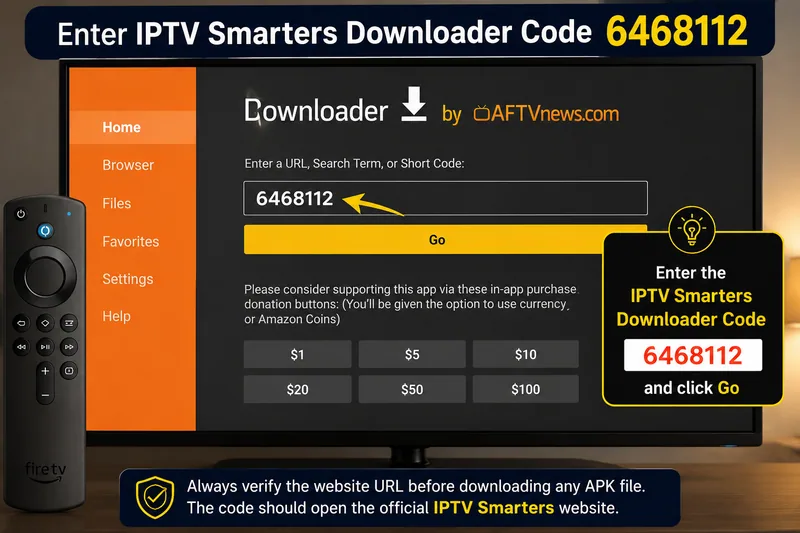
Do not treat code 6468112, or any other fixed Downloader number, as a permanent official Smarters source. Codes only redirect to URLs and can change. Search the Amazon Appstore first, then verify any external route through the official Smarters website and inspect the final destination.
- What a code is
- A shortcut to a URL
- What it is not
- A subscription or safety certificate
- Preferred route
- Official store or verified developer source
- Reviewed
- 28 September 2026
Why the advertised code is not the trust signal
A Downloader code hides a destination behind a short number. It does not display who controls the destination, whether the file is unchanged or whether the code was reassigned. An old article can remain indexed after the underlying page changes. For that reason, this guide records the commonly searched number but does not recommend entering it blindly.
Safer installation sequence
- Search for the exact Smarters product in the Amazon Appstore.
- Check the developer name and listing details.
- If unavailable, start from the official Smarters website and follow its current platform guidance.
- When using Downloader, prefer a verified full URL so the domain is visible.
- Inspect the destination and reject cracked, bundled or “free channels” versions.
- After installation, remove unnecessary install permission from Downloader.
Verify before selecting Download
| Check | Good sign | Stop when |
|---|---|---|
| Domain | Matches a verified developer source | Misspelling, URL shortener or unrelated host |
| Offer | Player software only | Claims bundled premium channels |
| File | Expected app/version description | Modified or “unlocked” package |
| Permissions | Relevant to playback | Requests unrelated sensitive access |
What happens after installation
Smarters opens as a player. Add only the authorised account format supplied to you and keep it private. Player installation, player licence and content subscription can be three separate things. If the app opens with no channels, that is expected until a legitimate account or playlist is configured.
If you already used an unknown code
Do not panic. Check the installed app name and developer, review permissions and uninstall it if the origin cannot be verified. Run Fire TV updates, remove the browser/downloader install permission and change any service credentials entered into a suspicious build. Reinstall from a verified source.
Frequently asked questions
Is 6468112 an official permanent Smarters code?
A numeric code is not a durable proof of origin. Verify the live destination through the official developer source before use.
Does the code unlock premium channels?
No. A Downloader code only points to a URL and should not be confused with a player licence or content subscription.
Why is Smarters missing from my Fire TV search?
App availability can vary by product, region and time. Use the developer’s verified current guidance rather than a random mirror.
Should I allow apps from unknown sources permanently?
No. Enable external installation only for the verified route you need, then disable that permission again.
Sources and further reading
This guide was reviewed against current developer, manufacturer and UK public guidance on 28 September 2026.