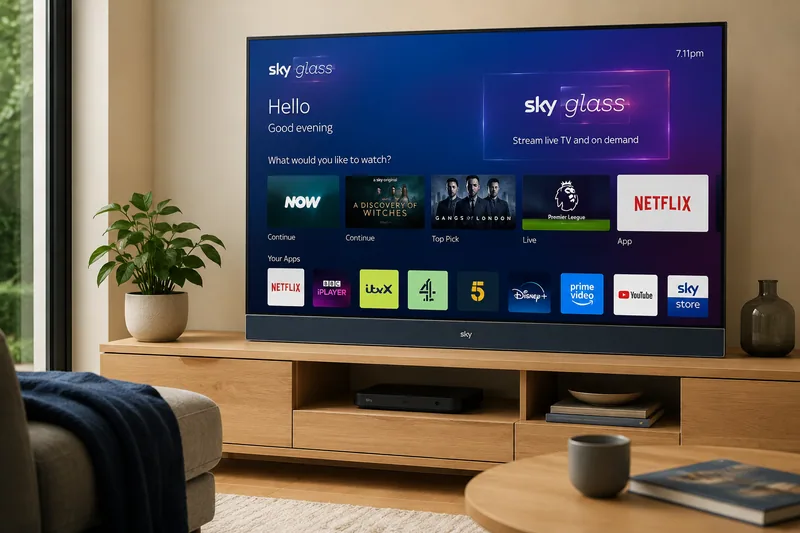
Sky Glass is not a Fire TV device, so Firestick APK instructions do not install directly on the television. Use the apps Sky officially supports, or connect a separate compatible streaming device to an HDMI input and control that device independently.
- Device type
- Sky television platform, not Fire OS
- Firestick apps
- Run on a separate Fire TV device
- Connection
- External device through HDMI
- Reviewed
- 28 September 2026
Why Sky Glass instructions often conflict
Search results mix together Sky’s television service, unofficial services using “Sky” in a label, Android installation guides and Firestick tutorials. Sky Glass uses its own curated software platform. A guide that tells you to enable Fire TV developer options on Sky Glass is addressing a different device.
| Goal | Correct route |
|---|---|
| Use a Sky-supported app | Open it through the Sky Glass interface |
| Use a Fire TV player | Connect a separate Firestick to HDMI |
| Install an Android APK on the TV | Not a normal Sky Glass installation route |
| Switch between platforms | Select the relevant HDMI input |
Connect a Firestick without confusing the two systems
- Connect the Firestick to an available HDMI input on Sky Glass.
- Power it with the supplied mains adaptor rather than relying on a low-power USB port.
- Select that HDMI input from the Sky Glass interface.
- Complete Fire TV setup, updates and app installation on the Firestick itself.
- Use the Firestick remote inside Fire TV and the Sky remote for Sky Glass functions unless HDMI control behaves reliably.
Picture, audio and remote checks
Set the Firestick to a resolution supported by the television and test audio with a known app. HDMI-CEC may allow basic power, volume or input behaviour, but it can vary. If controls become unpredictable, simplify the chain and test each remote separately before changing advanced display settings.
Avoid misleading “Sky Glass IPTV” offers
A service using the words “Sky Glass” may simply imitate category names or artwork; that does not make it an official Sky product. Check the seller identity and content rights independently. Never assume a familiar brand in a playlist proves affiliation.
Which route is simplest?
Use native Sky Glass apps when they provide the service you need because updates and controls stay within one platform. Add a Firestick when a legitimate app you use is supported there but not on Sky Glass, or when you prefer the Fire TV interface. The external device remains a separate system with separate accounts and settings.
Frequently asked questions
Can I install Downloader directly on Sky Glass?
Sky Glass is not Fire OS. Firestick-specific Downloader instructions apply to a separate Fire TV device, not the television platform.
Can a Firestick connect to Sky Glass?
Yes, Sky documents HDMI inputs for external devices. Connect and operate the Firestick as a separate source.
Will the Sky remote control every Firestick function?
HDMI control may provide some shared behaviour, but complete navigation is most reliable with the Firestick remote.
Is a service branded “Sky Glass IPTV” official Sky?
Do not assume so. Verify the company and offer through Sky’s official website or support information.
Sources and further reading
This guide was reviewed against current manufacturer and UK public guidance on 28 September 2026.